Instagram AI automation
Turn comments, DMs, and story replies into helpful conversations with an AI agent trained on your business.

Catch intent while it is hot
Reply the moment someone comments on a watched post, asks for a link, or sends a product question.
Use the knowledge you already have
Train the agent from your site, docs, FAQs, products, and exact Q&A answers.
Keep every conversation organized
Review Instagram conversation history from the same Agentkit workspace as your website chatbot.
Let the right comment or DM become a useful next step.
Keep momentum while intent is fresh: use predictable Instagram triggers, trained AI answers, and clear handoff points when a person should reply.
Comment to DM
Trigger a private conversation when someone comments a keyword on a selected post or reel.
AI DM answers
Answer product, service, booking, and support questions with your trained knowledge base.
Link delivery
Send lead magnets, product links, or booking pages as Instagram DM buttons.
Human handoff
Pause automation and let your team reply when a conversation needs judgment.
Train once, reply everywhere.
Use your website, documents, Q&A, and brand settings to power Instagram conversations alongside your website chatbot.
Reuse the same sources and AI behavior you already maintain for your website chatbot.
Review Instagram conversations in the same workspace as website chat logs.
Add reply text and link buttons for comment-to-DM and story-reply automations.
Pause AI and respond manually when a high-value conversation needs a human.
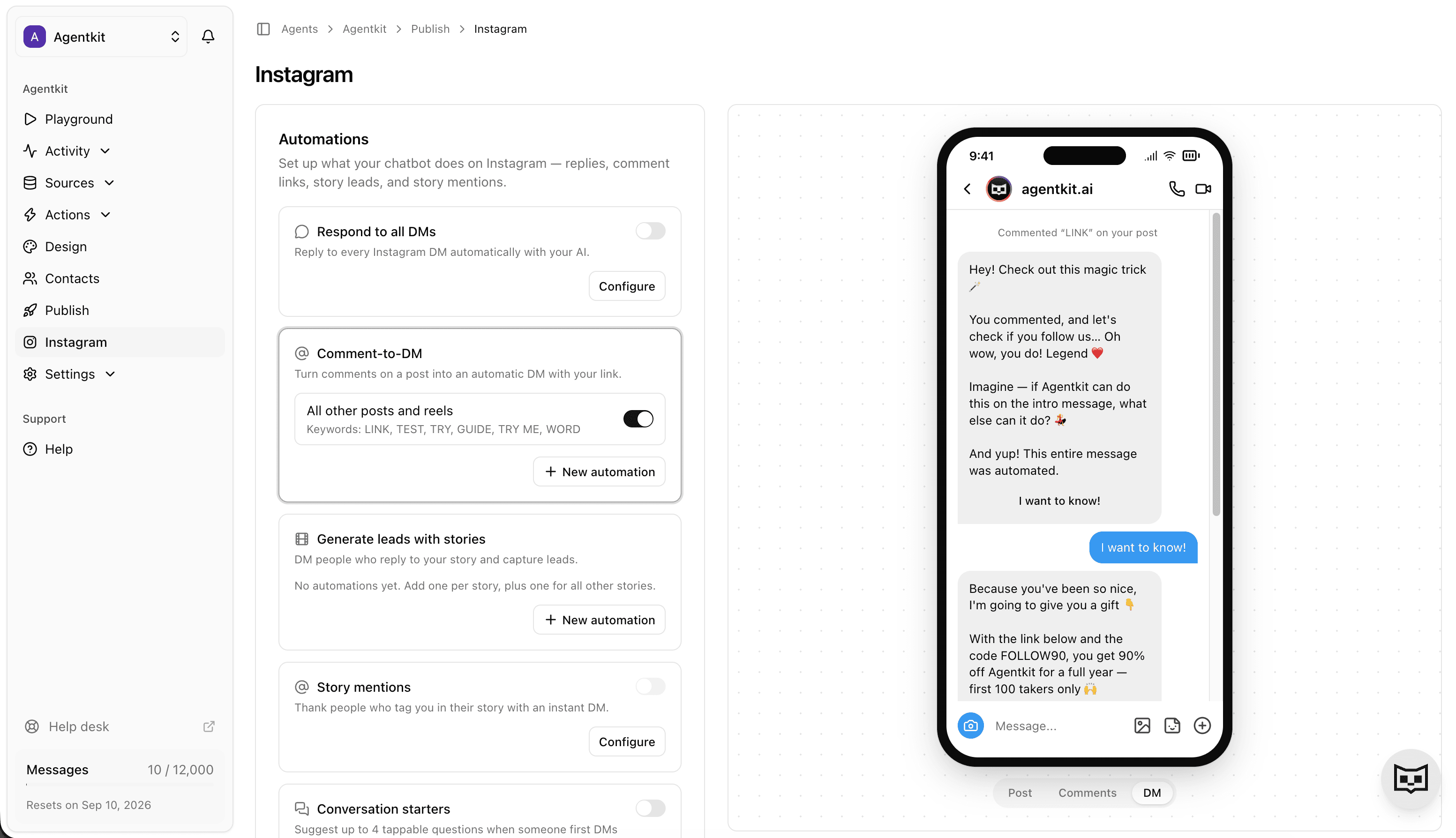
Launch the Instagram agent in three moves.
Keep the setup path short: connect Instagram, configure the supported automations, then review real conversations as they come in.
Connect Instagram
Sign in with Meta and pick the Instagram Business or Creator account you want Agentkit to use — with or without a Facebook Page. Live in about a minute.
Choose automations
Turn on DM answers, comment-to-DM, story replies, link buttons, and human handoff.
Review and improve
Watch real conversations, update knowledge gaps, and tune the agent as your audience grows.
Stop sounding robotic without letting AI run wild.
Agentkit combines deterministic triggers with trained AI answers, human takeover controls, and conversation history so your Instagram automation stays useful instead of spammy.
Rules before AI
Use keyword and workflow triggers for predictable starts, then let AI help with nuanced replies.
Human takeover
Pause AI on sensitive conversations and keep the context your team needs to reply well.
Conversation history
Track what people asked, what Agentkit answered, and which leads came from Instagram.
FAQ
What can Agentkit automate on Instagram?
Agentkit can answer Instagram DMs, trigger private replies from comments on selected posts or reels, send link buttons, support story-reply automations, and hand conversations to a human from the same workspace you use for your website agent.
Do I need to know how to code?
No. Connect Instagram, choose the supported automations, and train Agentkit with your website, documents, text snippets, and Q&A.
Do I need a Facebook Page to connect Instagram?
No. Connect via Meta uses your Facebook login and a linked Page; Connect via Instagram signs in with your Instagram credentials alone and needs no Facebook account or Page. Either way your account must be an Instagram Business or Creator account — personal accounts can't use Instagram's messaging API.
Can the AI use my product or service information?
Yes. Agentkit answers from your own sources instead of generic scripts, so it can explain your products, services, pricing details, policies, and common customer questions.
Can my team take over a conversation?
Yes. When a lead, customer, or complaint needs a human, your team can pause AI and reply manually with the conversation context still in one place.
Is this built around Instagram-approved workflows?
Agentkit is built for connected Instagram business workflows, not password sharing or browser scraping. You still control what gets automated and should keep your replies useful, permissioned, and compliant with Meta policies.
Is this only for creators?
No. It works for creators, ecommerce brands, agencies, local businesses, coaches, and sales or support teams that get Instagram questions they should not miss.