Agent traffic is no longer a strange line item in server logs. It is becoming the majority condition of the web.
Cloudflare Radar data reported by TNW put automated systems at roughly 58% of HTTP requests to web content worldwide in June. Around the same time, Cloudflare announced PACT, a browser-backed protocol meant to prove that a request came from a real person without exposing that person's identity.
That announcement matters because the old split is breaking. Websites used to separate visitors into humans, search crawlers, and obvious bad bots. In 2026, the hard category is the middle one: AI agents acting for real people, browser-using models testing workflows, shopping agents comparing products, and automation systems that look less like crawlers and more like distracted visitors.
For website owners, the immediate problem is operational. Your analytics can overcount demand. Your chatbot logs can fill with agent-mediated conversations. Your lead forms can catch low-quality automation. Your support bot can spend real model budget answering software instead of customers. If you block too aggressively, you may block the agent that was about to recommend you to a buyer.
The new question is not "should we allow AI agents?" It is "can we tell the difference between human demand, helpful agent demand, and traffic that should never reach the chatbot?"
The Three Kinds of Non-Human Traffic
Most teams still use one word - bot - for several very different things. That makes policy impossible.
| Traffic type | What it is doing | Business value | Default posture |
|---|---|---|---|
| Search crawler | Indexing pages for search results | High, indirect | Allow and monitor |
| AI answer crawler | Reading pages to answer prompts elsewhere | Mixed, indirect | Allow selectively |
| User-delegated agent | Acting for a real person with intent | High, direct | Allow with controls |
| Browser-use agent | Clicking, typing, and testing workflows | Medium to high | Allow in low-risk paths |
| Scraper or spam bot | Harvesting data or submitting junk | Negative | Block or challenge |
| Credential or prompt attacker | Trying to extract data or bypass rules | High risk | Block and investigate |
The categories overlap at the network layer. A helpful shopping agent and a scraper may both ask product questions at machine speed. A browser-use agent may execute JavaScript, click buttons, and behave more like a novice user than a traditional bot.
That ambiguity is why the PACT work is timely. It is not a complete agent policy by itself, but it points at the right problem: websites need a signal that distinguishes accountable human activity from anonymous automation.
Until that signal is widely deployed, website teams need their own classification layer.
Why Browser-Using Agents Change the Stakes
The next wave of traffic will not look like yesterday's crawler logs.
Google added computer-use capabilities to Gemini 3.5 Flash in June, explicitly framing it around agents that can understand screens and interact with interfaces. Google DeepMind's agent-safety work makes the same point from another angle: once agents can take longer tasks through tools and interfaces, safety has to cover monitoring, containment, and recovery, not just answer quality.
For a website, more software will be able to:
- open the page like a browser;
- read visible content;
- click navigation;
- test forms;
- ask the chatbot questions;
- compare answers against another site;
- submit contact information;
- retry when something fails.
That is useful when the agent represents a real buyer. It is expensive when it does not.
The AI shopping agents problem was the first visible version: agents browsing product catalogs and asking return, shipping, and compatibility questions. The broader pattern now applies to every website with a chatbot, lead form, pricing page, docs portal, or support surface.
If an AI assistant can browse on behalf of the user, your website becomes part of an agent workflow whether you planned for it or not.
Analytics Start Lying First
The first failure is usually measurement.
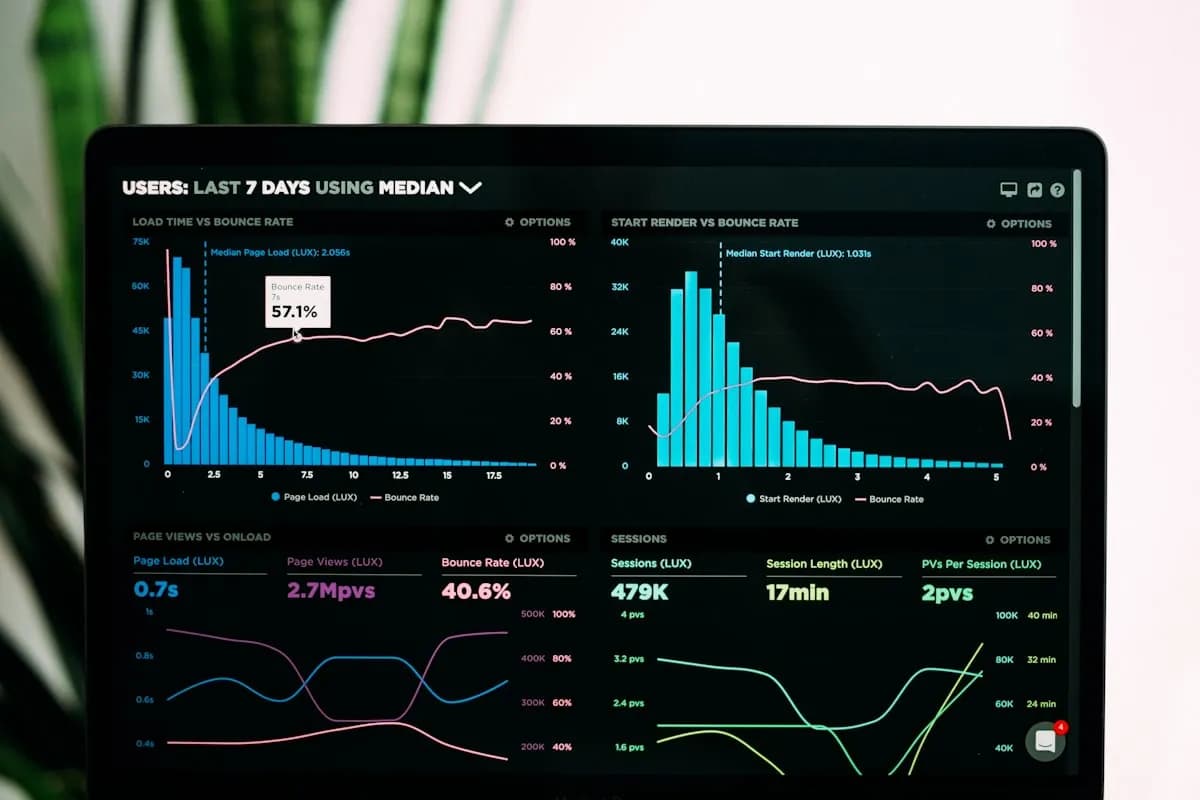
A dashboard that treats every session as human intent will drift as agent traffic grows. Page views rise. Session duration gets strange. Bounce rate stops meaning what it used to mean. Conversion rate may fall even when real buyer intent is stable, because the denominator now includes agents that were gathering context for someone else.
The same problem hits chatbot analytics. If an agent asks ten policy questions before recommending your company, that may be a valuable interaction. If an automated scanner asks the same ten questions across every page, that is noise. Counting both as "engaged conversations" makes the chatbot look busier and less effective at the same time.
Use a separate measurement model:
| Metric | Human view | Agent-aware view |
|---|---|---|
| Sessions | Total visits | Human, verified, agent, bot, unknown |
| Chatbot opens | Widget engagement | Human opens vs agent-triggered opens |
| Message volume | Usage growth | Human cost, agent cost, abuse cost |
| Lead conversion | Form submissions | Verified leads, agent-mediated leads, junk submissions |
| Support deflection | Tickets avoided | Human resolutions only, with agent traffic excluded |
| Content performance | Page views | Human reads plus crawler reads, reported separately |
An agent-mediated lead can be valuable. A real buyer may ask an assistant to compare vendors, and the assistant may talk to your chatbot before surfacing a shortlist. But that lead should be labeled differently from a human who opened the widget and typed a question directly.
The Chatbot Is Where Agent Noise Becomes Expensive
Static pages are cheap to serve. AI conversations are not.
When agent traffic reaches your chatbot, every classification mistake can cost money, distort metrics, or change the customer experience. A crawler that reads a page consumes bandwidth. A bot that starts a chatbot conversation consumes model tokens, retrieval calls, logging capacity, and sometimes human follow-up.
The chatbot should not treat every visitor equally.
| Visitor signal | Chatbot behavior |
|---|---|
| Normal human browser | Full conversational experience |
| Verified human token | Full experience, normal rate limits |
| Known search crawler | Do not open widget automatically |
| Known AI crawler | Offer lightweight public answers, avoid lead forms |
| User-delegated agent | Answer public questions, label conversation as agent-mediated |
| Unknown automation | Rate-limit, shorten context, block high-cost paths |
| Suspicious or hostile traffic | Refuse, challenge, or block before model calls |
This is about matching cost and trust to the traffic type. Let agents read public answers, but do not let unknown automation trigger unlimited chat, private-data flows, or high-cost integrations. If a user-delegated agent asks whether your product supports SSO, answer. If an unknown script floods your chatbot with pricing edge cases from a data center, slow it down or stop it.
The same logic applies to lead capture. Agent-mediated leads should be accepted when they include a plausible human contact and a useful transcript. They should be scored differently when the email, company, and intent are missing or obviously synthetic. The lead generation chatbot pattern still works, but the scoring layer has to get stricter.
Build an Agent-Traffic Policy
Most sites have fragments of a policy: robots.txt, WAF rules, rate limits, analytics filters, form spam protection, and support escalation rules. Agent traffic forces them into one operating model.
Start with five decisions.
| Decision | Practical rule |
|---|---|
| What agents can read | Public marketing, docs, pricing, support pages |
| What agents can ask | Product fit, shipping, policies, integrations, public support questions |
| What agents cannot do unauthenticated | Access account data, trigger refunds, change bookings, submit sensitive requests |
| What gets labeled | All conversations with AI crawler or automation signals |
| What gets blocked | Abuse spikes, credential attempts, prompt-injection probes, repeated high-cost traffic |
The key boundary is public information versus account-specific work. Public answers can usually be agent-readable. Private work needs identity and tighter permissions.
That is the same principle behind chatbot connector permissions. A chatbot connected to tools should not give unknown automation the same access as an authenticated customer. If your bot can create tickets, call webhooks, or read account context, agent traffic classification becomes an access-control input, not an analytics nicety.
Protect the Data Layer Before the Model Layer
Agent traffic is also a prompt-injection surface.
Some automated visitors will try to make the chatbot reveal system prompts, hidden instructions, source content, private links, or integration details. Browser-using agents make that easier because they can combine page content, chatbot prompts, and form submissions in one loop.
The model should refuse those attempts, but the safer control is earlier.
| Risk | Better control |
|---|---|
| Repeated extraction prompts | Rate-limit before model calls |
| Attempts to reveal hidden prompts | Refuse and log as security traffic |
| Requests for private customer data | Require identity before retrieval |
| Tool-call manipulation | Enforce permissions outside the prompt |
| High-volume automated questions | Route to cached public answers or block |
| Form spam through chatbot flows | Validate email, domain, and intent before creating leads |
The chatbot security problem is no longer only about clever jailbreak text. It is about whether unknown automation can keep touching the most expensive and sensitive parts of your support interface.
A practical rule helps: never let an unauthenticated or unknown visitor type become the reason your chatbot retrieves private data or calls a write-capable tool. The model can recommend a handoff. The system should decide whether the request is allowed.
Give Helpful Agents a Better Path
Blocking every non-human request is the wrong answer.
Helpful agents are becoming a discovery channel. They may compare your product, summarize your docs, check compatibility, and recommend a next step to a buyer. If your site is hostile to all automation, you may disappear from those comparisons.
The better strategy is to make the public path cheap and clear:
| Need | Better surface |
|---|---|
| Basic company and product facts | Clean pages, schema, and crawlable docs |
| LLM-readable summaries | Concise docs pages and high-signal FAQs |
| Common product questions | Deterministic chatbot Q&A pairs |
| Pricing and plan questions | Current pricing page plus exact chatbot answers |
| Buyer handoff | Lead capture with transcript and source labeling |
| Developer or integration questions | Public docs and a low-cost answer path |
If public answers are easy to fetch, the agent does not need to hammer your chatbot with repeated variants of the same question.
This is where chatbot training quality still matters. A chatbot trained on current website content, documents, and exact Q&A pairs can answer the long tail without making the whole site brittle. For setup details, see how to train a chatbot. For measurement, pair it with the chatbot KPI reference, but split agent-mediated traffic from direct human conversations.
The 30-Day Fix
You do not need a large agent-infrastructure project to reduce the blind spot. You need a month of focused cleanup.
| Week | Work | Outcome |
|---|---|---|
| 1 | Segment traffic by user agent, IP reputation, browser signals, referrer, and chatbot behavior | A baseline for human, agent, bot, and unknown traffic |
| 1 | Label chatbot conversations with traffic class when possible | Cleaner support and conversion metrics |
| 2 | Add rate limits for unknown automation before model calls | Lower model spend and fewer noisy transcripts |
| 2 | Review lead forms for synthetic submissions and agent-mediated contacts | Better CRM hygiene |
| 3 | Pin exact Q&A answers for pricing, security, integrations, returns, and support policies | Fewer repeated agent questions |
| 3 | Create separate dashboard views for human and agent-mediated chatbot activity | More honest performance reporting |
| 4 | Add stricter controls before account-specific retrieval or write-capable actions | Reduced privacy and workflow risk |
| 4 | Review blocked traffic to avoid filtering valuable agent referrals | Less accidental invisibility |
The order matters. Segment first, then restrict. Block everything unknown and you will not know which traffic was useful. Allow everything and you will keep paying for noise.
The target is enough classification to keep metrics, costs, and customer workflows from blending together.
What Good Looks Like
An agent-aware website has a few obvious properties.
| Area | Good state |
|---|---|
| Analytics | Human, agent-mediated, crawler, and blocked traffic are separated |
| Chatbot logs | Conversations include traffic class, page context, and lead status |
| Lead routing | Agent-mediated leads keep the transcript and get scored separately |
| Security | Unknown automation cannot trigger private retrieval or write actions |
| Costs | High-volume automation is cached, limited, or blocked before model calls |
| Content | Public answers are current enough for agents to quote accurately |
| Handoff | High-intent conversations can still reach a human quickly |
The biggest shift is mental. A chatbot is no longer just a human-facing support widget. It is a public answer interface that agents can query. Some of those agents will represent excellent buyers. Some will represent no buyer at all. The system has to know the difference.
That is why this is a blind spot. Agent traffic sits between SEO, analytics, security, support, and sales. Nobody owns it by default. If marketing owns the website, support owns the chatbot, engineering owns rate limits, and sales owns leads, the problem spreads across all four teams before anyone notices.
Pick an owner. Give them the weekly traffic split, the chatbot cost view, the lead-quality view, and the blocked-agent review. That is enough to start.
Agent traffic is not a future channel waiting for a roadmap. It is already inside website analytics, chatbot transcripts, and lead queues. The teams that handle it well will not block every AI visitor or trust every automated request. They will make public answers easy for helpful agents, protect private workflows from unknown automation, and measure human demand separately from software acting on a human's behalf.
No credit card required.