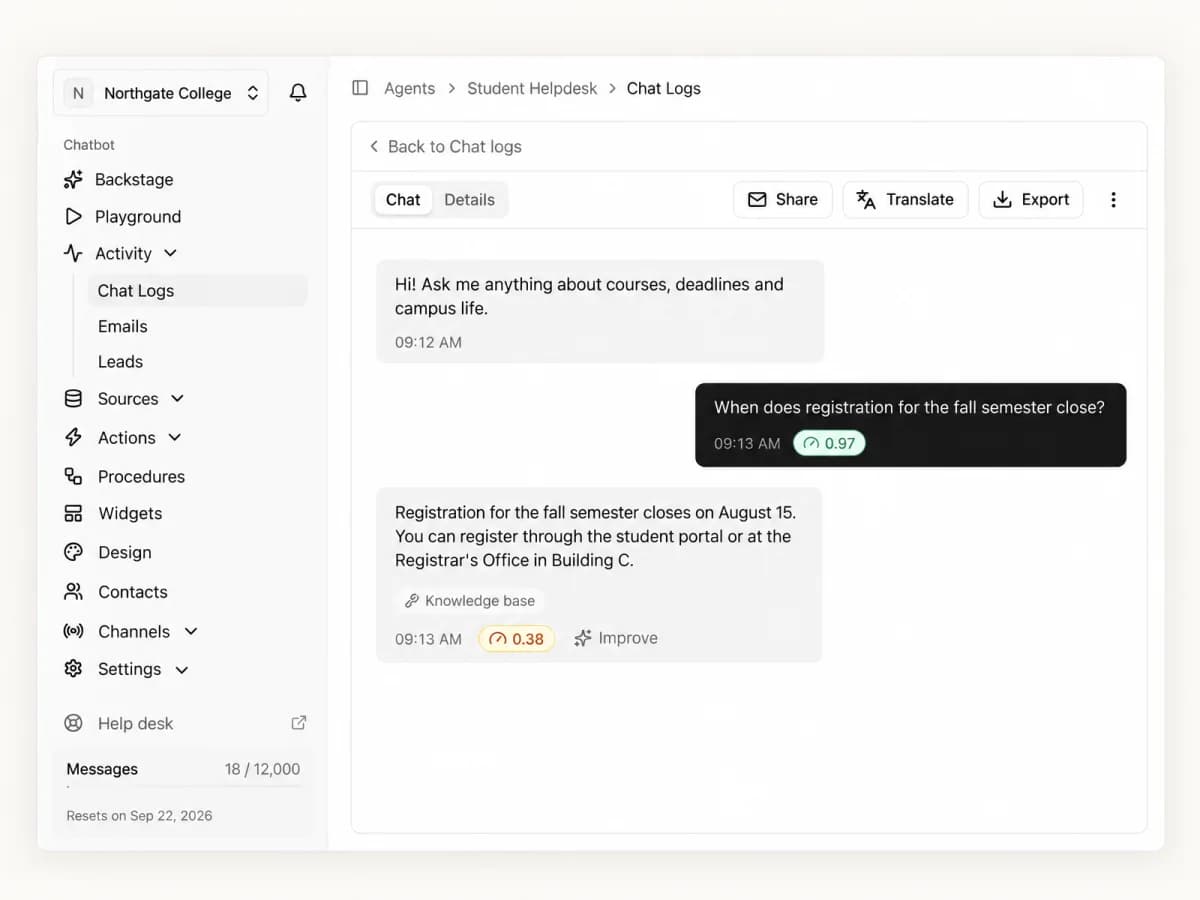
An internal knowledge base chatbot answers employee questions using a selected set of policies, guides and procedures. A useful answer explains the relevant steps and sends the employee to the current source or responsible team when the documentation is incomplete.
Before choosing a tool, separate two decisions. Which documents should supply the answers? Who is allowed to read those answers? Training a chatbot on a document does not automatically preserve that document's permissions.
Agentkit can use uploaded files, public website pages, text and Q&A sources. Its website crawler does not sign into a private wiki. Its domain restrictions control browser embedding, not employee authentication. Start an Agentkit trial with public or expressly public-safe information. If employees need confidential answers or different access by department, establish the required identity and source-permission controls before uploading that content.
Choose a small employee task
Start with a recurring question that has a clear, approved answer. For example, a public office guide might explain visitor parking, reception hours and where to find accessibility information. An approved onboarding FAQ might direct new hires to the account-request process without collecting passwords or account secrets.
These are illustrative tasks, not claims about a customer's results. Ask the document owner to confirm the answer, its intended audience and whether the content may be processed by the chosen service.
A chatbot can explain how to submit a request from a guide. That does not mean it can approve the request, reset a password, inspect a payroll record or report a person's remaining leave balance. Those tasks need their own authorized system connections and controls.
Keep the original knowledge base. It remains the place where owners approve, version and maintain the information. The chatbot is another way to ask about a selected copy of that information.
Inventory sources and permissions together
Create an intake record before adding each source. Include its owner, current version, permitted audience, approval for processing and update trigger.
| Source | Questions it can support | Check before ingestion |
|---|---|---|
| Office or onboarding guide | Where to go, which process to follow, who to contact | Remove personal contacts or details that are not approved for the intended exposure |
| IT help article | How to request access or follow a troubleshooting procedure | Exclude credentials, recovery codes and privileged operational details |
| Policy summary | Where to find a policy and how to ask its owner a question | Confirm version, audience and exceptions; do not substitute a generic answer for an individual decision |
| Department procedure | Steps for a routine request | Verify whether every intended reader may see the entire source |
| Q&A entry | A documented answer missing from a longer guide | Name an owner and a review date; resolve conflicts with other sources |
Do not upload compensation records, performance reviews, customer information or restricted strategy documents into a generally accessible agent. Removing a name alone does not establish that the remaining material is suitable.
Separate agents can organize separate topics. They do not, by themselves, authenticate employees or reproduce the permissions of Confluence, Notion, SharePoint or another source system.
What Agentkit can ingest
Uploaded documents
The supported formats are PDF, DOCX, XLSX, PPTX, TXT and Markdown. The current upload limit is 50MB per file and up to 20 files per batch. Processed-content storage is a separate plan limit. See document sources for the limits and processing behavior.
Export an approved, suitable subset of a private wiki to a supported file if you have permission to process it. Do not publish a private page on the web just to make it crawlable.
Check processing status before testing answers. Scans, tables and complex layouts need review against the original. A successful upload alone does not establish that the extracted policy date, threshold or exception is correct. The document-chat guide covers extraction checks in more detail.
Public website pages
Use Crawl links, Sitemap or Individual link in Website sources. Path filters help keep the import focused. Review indexed, skipped and failed pages after processing.
The URL must be publicly accessible. Agentkit's website crawler does not accept a wiki login or inherit the session of the person adding the URL. A public-sharing option on a wiki changes who can access that page; use it only when the owner has approved public exposure. See website sources.
Text and Q&A
Add reviewed text or Q&A for a short, specific answer that is absent from the selected documents. Keep an owner and update trigger for these entries too. For example, an office-hours answer can become obsolete when a schedule changes.
Adding a Q&A entry does not establish a permission boundary or guarantee that every phrasing receives the same answer. Test common questions and follow-ups. The training guide explains how to organize sources and check answers.
Embedding controls and employee access
Agentkit's domain restrictions let you choose the browser origins that may embed a widget. They do not identify an employee, verify department membership or enforce the source system's document permissions. A direct chat link shared only in an internal channel is not an employee authentication mechanism either.
Private visibility prevents external embedding and supports dashboard Playground testing. It does not create an employee-only widget that automatically signs users into your company directory.
An intranet login protects access to the intranet page. Do not assume that placing a widget on that page makes every chatbot endpoint subject to that login. Before an employee-only rollout, require evidence that the complete delivery path checks identity and authorization, including retrieval and any alternate access route.
If different employees must receive different answers from the same document collection, choose an implementation that verifies those permissions for each request. An instruction such as "only answer HR staff" is not an access control. For a public-widget trial in Agentkit, keep every source suitable for public exposure.
Build and test an approved source set
- Select one bounded reader task and list the questions it should answer. Include questions it must decline or route elsewhere.
- Obtain approval for the source version, audience and service processing. Remove unsuitable material before upload.
- Create an agent and keep it private while testing in the dashboard.
- Add the approved files, public pages, text or Q&A. Review processing results and remove obsolete or duplicate sources.
- Write instructions that explain the task, require answers from the selected sources and direct unsupported questions to a named contact or official system. Instructions guide answers; they do not grant permissions.
- Run the checks below in Playground. Compare each answer with the actual approved source.
- Publish a widget only after its content and access model fit the intended audience. Configure allowed origins as an embedding control. For public access, the complete source set must be public-safe.
Acceptance checks
The following cases are an illustrative review checklist. They are not measured Agentkit results or a substitute for testing your own configuration.
| Question or change | What to check |
|---|---|
| A documented procedure, asked in several ways | The answer preserves the steps, conditions and exceptions in the approved source |
| A question whose answer is absent | The bot acknowledges the gap and directs the reader to the responsible team instead of inventing a policy |
| A request for an employee's personal record | The bot does not claim access or request secrets; it points to the authorized system |
| Two sources with conflicting versions | The content owner resolves the conflict and removes or updates the obsolete source |
| A replaced document | Answers reflect the replacement after processing; the old policy does not remain in another source |
| A newly added website page | The owner imports it explicitly and confirms processing before expecting answers from it |
| An unapproved browser origin | Embedding is rejected when domain restrictions are enabled; this checks embedding, not employee identity |
Record the tested question, expected source, observed answer, date and reviewer. Review incorrect answers before expanding the source collection. If an access requirement fails, resolve that requirement before adding protected content.
Keep the answers current
Standard and Pro include daily auto-retraining for website sources when enabled. The daily job refreshes existing indexed URLs. It does not automatically import every new wiki page, remove every obsolete source or replace an uploaded file when its original changes.
Assign a source owner and make updates part of the underlying document change process. When a policy changes, replace the relevant file, update text and Q&A, or retrain the affected website page. Check processing and rerun the questions that depend on the change. Remove old copies that would contradict the new version.
For urgent corrections, use manual updates and verify the resulting answer. Waiting for a scheduled crawl is not an acceptance check. See website retraining for the current scope.
Measure usefulness without inventing savings
Start with reviewed answer accuracy and unresolved questions. Add employee feedback and the volume of the selected question type reaching its responsible team. Define the sample and time period before comparing a rollout with an earlier period.
A conversation count is not proof of ticket deflection. A lower ticket count can also reflect staffing, seasonality or changes to the underlying process. Measure time or ticket savings separately if those outcomes matter. Do not promise a particular reduction before observing it.
A practical next step is to test a small, public-safe source set against the acceptance checks. Create an Agentkit account and use Playground to check that bounded task. For confidential employee knowledge, settle identity and source authorization first.